Instant Access
Your registered email and password work across desktop, mobile browser and the native iOS or Android app without any extra steps.
Login at Slots Gallery: Mobile Account Access
Access your account from any device - desktop browser, mobile browser or our native iOS and Android app.
Keep Your Account Safe
What You Should Do
What You Should Avoid
Login Highlights
Instant Access
Your registered email and password work across desktop, mobile browser and the native iOS or Android app without any extra steps.
Two-Factor Authentication
Enable 2FA in your account settings to add a one-time code to the login process, protecting your balance and personal data.
App Login with Biometrics
The native Slots Gallery app on iOS and Android supports fingerprint and face recognition, so you can log in without typing your password.
Logging in to Slots Gallery Casino requires only your registered email address and password. The same credentials grant access on any device: a desktop or laptop browser, a mobile browser on iOS or Android, or through the dedicated native Slots Gallery app available on Google Play and the App Store. Two-factor authentication adds a one-time code to the process and is recommended for all accounts that hold real-money balances.
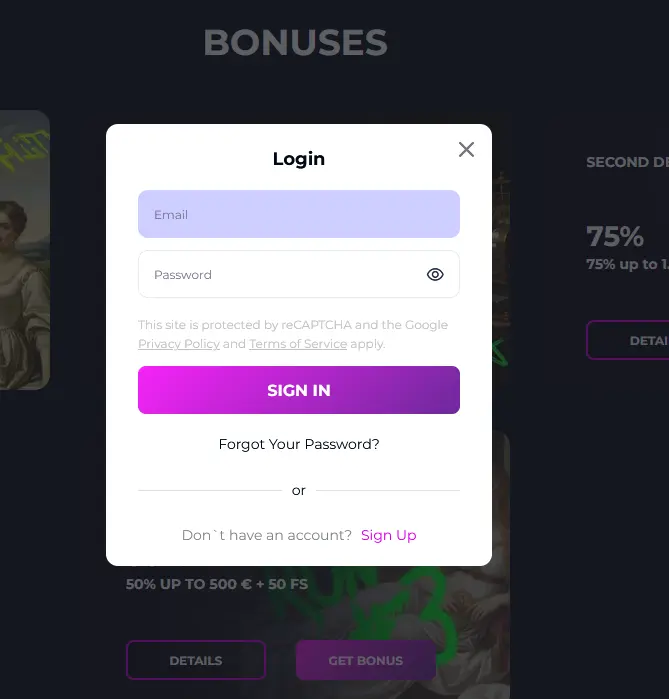
Navigate to the Slots Gallery website and click the Login button in the top-right corner. Enter your registered email address and password in the fields provided, then click Submit. If two-factor authentication is active, a one-time code is sent to your registered device; enter it to complete the login. Your account dashboard, game lobby, cashier and bonus section all load immediately after verification.
Open your mobile browser and go to the Slots Gallery website. The layout adjusts automatically to your screen size. Tap Login, enter your email and password, and confirm the 2FA code if enabled. The mobile browser version provides access to the full game library, including live dealer tables from Evolution Gaming and Pragmatic Play Live, the cashier and all account management tools.
Open the Slots Gallery app on your iOS or Android device. On the login screen, enter your email and password or use the biometric option (fingerprint or face recognition) if you have set it up in the app settings. The app remembers your session so returning visits are faster. For a fresh login after signing out, the same email and password apply.
Tap the Forgot Password link on the login screen. Enter the email address associated with your Slots Gallery account and check your inbox for a password reset link. Follow the link, create a new password and log in with the updated credentials. If the email does not arrive within a few minutes, check your spam folder or contact [email protected].
Multiple consecutive failed login attempts trigger an automatic temporary lock to protect your account from unauthorised access. Wait 15 minutes before trying again. If the lock persists, the 24/7 live chat team can verify your identity and restore access without delay.
If the system does not recognise your email, it is possible you registered under a different address. Try any alternative email addresses you use, or contact [email protected] with your full name and username so the team can locate your account.
Your Slots Gallery account is secured by 256-bit SSL encryption on every page. Two-factor authentication is available in the account settings panel and is strongly recommended. In the native app, biometric login (fingerprint or face ID) can replace the manual password entry after initial setup, reducing exposure to keylogger risks on shared devices.
Hollycorn N.V. staff will never ask for your password or one-time 2FA code. Any message requesting these details should be treated as a phishing attempt and reported to [email protected].
Registration takes under two minutes. Visit the Slots Gallery website or open the app, tap Sign Up, provide your email address and create a password, then confirm via the link sent to your inbox. Once confirmed, make a first deposit of at least AUD 20 with code SLOTS to unlock the 100% match bonus up to AUD 777 and 100 free spins on Gold Rush with Johnny Cash by BGaming. 18+ only. T&Cs apply.
Login Questions Answered
Click Forgot Password on the login screen, enter your registered email address and follow the link sent to your inbox to set a new password.
Yes, your registered email and password work on desktop browsers, mobile browsers and the native iOS or Android app simultaneously.
Multiple failed login attempts trigger a temporary lock for security reasons; wait 15 minutes and try again, or contact live chat to unlock your account faster.
Not a Member Yet? Register in Under 2 Minutes
Grab 100% up to AUD 777 and 100 free spins.
Enter the Casino You must be 18 or older to play. Gambling carries a risk of addiction. Bonus offers are subject to terms and conditions.